
What Is a VPN and How It Works:
A Complete Guide for Privacy, Security,
and Online Freedom
In today’s digital world, privacy is no longer something you automatically have. Every time you connect to the internet, your data travels through multiple networks, servers, and systems you don’t control. This is where a VPN comes into play.
A VPN, short for Virtual Private Network, is one of the most effective tools for protecting your online activity, securing your data, and maintaining privacy-whether you’re browsing from home, working remotely, or using public Wi-Fi.
Think of a VPN as a secure tunnel between you and the internet.
Everything inside that tunnel is hidden, encrypted, and protected from prying eyes.
This guide explains what a VPN is, how it works, why it matters, and how professionals use it to stay secure online-without technical jargon or marketing hype.
What Is a VPN?
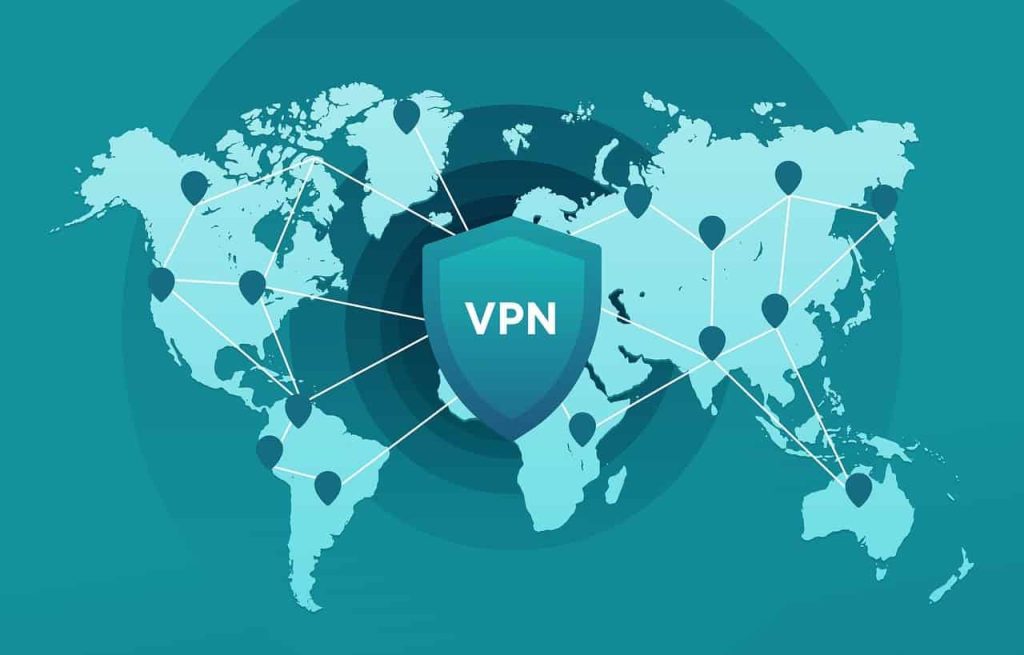
A Virtual Private Network (VPN) is a technology that creates a secure, encrypted connection between your device and a remote server operated by a VPN provider. Instead of connecting directly to a website or online service, your traffic is routed through this secure server.
To the outside world, it looks like your traffic is coming from the VPN server-not from your real location or IP address.
This simple change has powerful consequences:
- Your real IP address is hidden
- Your data is encrypted
- Your internet activity becomes harder to track
- Third parties can’t easily spy on your connection
VPNs were originally developed for businesses to securely connect remote employees to internal company networks. Today, they are widely used by individuals, professionals, journalists, companies, and security experts.
How the Internet Normally Works (Without a VPN)
Before understanding how a VPN works, it helps to see what happens when you browse the internet normally.
When you visit a website without a VPN:
- Your device sends a request to your Internet Service Provider (ISP)
- Your ISP routes the request to the destination website
- The website sees your real IP address and location
- Your ISP can see which websites you access
This means:
- Your ISP can log your browsing activity
- Public Wi-Fi operators can intercept traffic
- Hackers on the same network may spy on unencrypted data
- Websites can track your location and behavior
Without protection, your internet connection is like sending postcards instead of sealed envelopes.
How a VPN Works (Step by Step)
A VPN changes this process by inserting a secure layer between your device and the internet.
Step 1: VPN Connection Is Established
When you turn on a VPN app, your device creates an encrypted connection to a VPN server. This connection uses secure protocols such as OpenVPN, WireGuard, or IKEv2.
Step 2: Data Is Encrypted
Before your data leaves your device, it is encrypted. Even if someone intercepts it, the data is unreadable without the encryption key.
Step 3: Traffic Is Routed Through the VPN Server
Your encrypted data travels through the VPN server. Websites only see the IP address of the VPN server-not your real IP.
Step 4: Secure Communication With the Internet
The VPN server communicates with websites on your behalf, receives the response, encrypts it again, and sends it back to your device.
The result:
- Your identity stays hidden
- Your data remains encrypted
- Your location appears different
What Does a VPN Actually Protect?
A VPN does not magically make you invisible, but it significantly improves your security posture.
| Without VPN | With VPN |
|---|---|
| ISP can see your activity | ISP sees only encrypted traffic |
| Real IP exposed | IP address hidden |
| Public Wi-Fi risks | Encrypted tunnel blocks snooping |
| Easy tracking by websites | Tracking becomes more difficult |
Why Professionals Use VPNs
VPNs are not just for casual browsing. Professionals rely on them daily.
Remote Work Security
Employees working remotely use VPNs to securely access internal systems, databases, and company tools.
Cybersecurity & IT Professionals
Security experts use VPNs to test systems, isolate environments, and reduce exposure during investigations.
Journalists & Researchers
VPNs help protect sources, communications, and sensitive research.
Businesses
Companies use VPNs to protect intellectual property and secure cloud access.
A VPN is not about hiding wrongdoing-it’s about controlling who can see your data.
Common VPN Protocols Explained Simply
VPN protocols define how your data is encrypted and transmitted.
OpenVPN
Highly secure, open-source, and widely trusted. Slightly slower but extremely reliable.
WireGuard
Modern, fast, and lightweight. Increasingly popular due to its performance and clean design.
IKEv2/IPsec
Great for mobile devices due to fast reconnection when switching networks.
PPTP (Outdated)
Fast but insecure. Generally not recommended anymore.
What a VPN Does NOT Do
It’s important to set realistic expectations.
- A VPN does not protect you from malware
- A VPN does not make illegal activity legal
- A VPN does not prevent phishing attacks
- A VPN does not replace antivirus software
Security works best when combined: VPN + good passwords + updates + awareness.
Real-Life Scenario
Imagine connecting to free Wi-Fi at an airport. Without a VPN, attackers on the same network could intercept unencrypted traffic, steal session cookies, or monitor activity.
With a VPN enabled, all traffic is encrypted-even on untrusted networks-dramatically reducing risk.
Common VPN Use Cases in Real Life
People often think VPNs are only for tech experts or privacy extremists, but in reality, they are used every day by normal users, businesses, journalists, travelers, and even families. The reasons vary, but the underlying goal is usually the same: control, privacy, and security.
Secure Public Wi-Fi Connections
Public Wi-Fi networks in cafés, airports, hotels, and shopping malls are among the most common places where data gets intercepted. These networks are often unencrypted or poorly configured, making them easy targets for attackers.
Using a VPN on public Wi-Fi is like putting your data inside a locked tunnel while everyone else is sending information in plain sight.
With a VPN enabled, even if someone manages to monitor the network, all they will see is encrypted traffic that cannot be read or altered.
Remote Work and Business Security
Companies increasingly rely on VPNs to allow employees to access internal systems remotely. Instead of exposing servers directly to the internet, organizations create private access paths through VPN tunnels.
| Without VPN | With VPN |
|---|---|
| Internal systems exposed | Private access only |
| Higher attack surface | Restricted network entry |
| Hard to control access | Centralized authentication |
This is especially important for companies handling customer data, financial records, or proprietary information.
Bypassing Network Restrictions
In many regions, access to certain websites, services, or platforms is restricted at the ISP or government level. VPNs allow users to route traffic through servers in other countries, making it appear as if they are browsing from a different location.
While this feature is often discussed in the context of streaming, it also has serious implications for:
- Journalists accessing blocked news sources
- Researchers working across borders
- Activists communicating securely
- Businesses monitoring international services
How VPNs Protect Your Privacy
Privacy is not just about hiding something illegal. It is about controlling who has access to your data and how that data is used.
IP Address Masking
Every device connected to the internet uses an IP address. This address can reveal your approximate location, ISP, and usage patterns. A VPN replaces your real IP address with one from its own server network.
As a result:
- Websites cannot see your real location
- Trackers lose a major identification signal
- Targeted profiling becomes harder
Traffic Encryption
Encryption is the core of VPN privacy. Strong VPNs use modern cryptographic standards such as AES-256 and secure key exchange mechanisms.
Encryption does not make you invisible, but it makes your data unreadable to anyone who does not have the correct keys.
This means that ISPs, network administrators, and attackers cannot see:
- Which websites you visit
- What data you send or receive
- Which applications you use
Different Types of VPNs
Not all VPNs are built the same. Understanding the differences helps users choose the right solution for their needs.
Personal VPN Services
These are the most common VPNs used by individuals. They provide access to a network of servers worldwide and focus on privacy, security, and ease of use.
Typical features include:
- One-click connection
- Multiple server locations
- Kill switch protection
- No-log policies
Business VPNs
Business VPNs are designed for organizations rather than individuals. They allow controlled access to internal systems and often integrate with identity management solutions.
| Feature | Personal VPN | Business VPN |
|---|---|---|
| User management | Limited | Advanced |
| Access control | Basic | Granular |
| Logging & compliance | Minimal | Policy-based |
Site-to-Site VPNs
These VPNs connect entire networks together rather than individual devices. They are commonly used by companies with multiple offices.
Once configured, devices on one network can communicate securely with devices on another network as if they were on the same local infrastructure.
Limitations and Misconceptions About VPNs
VPNs are powerful tools, but they are not magic shields. Understanding their limitations is critical for realistic security expectations.
VPNs Do Not Make You Anonymous
While VPNs hide your IP address, they do not automatically make you anonymous. If you log into personal accounts, use identifiable services, or share personal information, you can still be tracked.
VPNs Do Not Protect Against Malware
A VPN does not stop viruses, trojans, or phishing attacks. It only protects data in transit. Endpoint security, updates, and user awareness are still required.
Free VPN Risks
Many free VPN services come with serious downsides:
- Data logging and resale
- Weak encryption
- Injected ads or trackers
- Limited bandwidth and speed
If you are not paying for the product, your data may be the product.
VPNs and Modern Cybersecurity Strategies
VPNs are no longer standalone solutions. In modern cybersecurity architectures, they are often combined with other controls such as:
- Zero Trust access models
- Multi-factor authentication
- Endpoint detection and response
- Network segmentation
Organizations are gradually moving away from blind trust in VPN access and instead verifying every connection, every device, and every request.
How Professionals Evaluate a VPN
Security professionals do not choose VPNs based on marketing claims. They evaluate them based on technical and operational factors.
| Evaluation Factor | Why It Matters |
|---|---|
| Encryption standards | Determines data confidentiality |
| Logging policy | Controls privacy risks |
| Jurisdiction | Affects legal exposure |
| Protocol support | Impacts speed and security |
A well-chosen VPN complements a broader security strategy rather than replacing it.
Why VPNs Still Matter Today
Despite the rise of HTTPS, encrypted messaging, and modern browsers, VPNs remain relevant. They provide a layer of control that users and organizations would otherwise lose to ISPs, hostile networks, and invasive tracking systems.
In a digital environment where surveillance, profiling, and data harvesting are increasingly normalized, VPNs help restore balance by giving users back some control over their online footprint.
When combined with good security practices, awareness, and responsible usage, a VPN becomes a practical tool – not for hiding, but for protecting.