

Top 20 Hacking Gadgets Used by
Professionals (Ultimate Guide)

In the hands of a professional, a small piece of hardware can expose more about a company’s
security than a 200-page policy document. Modern penetration testers and red-team operators
rely on specialized hacking gadgets to simulate real-world attacks, uncover
weak points, and prove why security controls matter.
This guide walks through 20 of the most widely used hacking gadgets in
professional security work. The goal isn’t to glamorize hacking, but to show the kind of tools
used in real engagements so that you can better understand, defend, and harden your own systems.
“Every gadget in a professional’s bag tells a story: how someone could attack you – and how you
should be defending yourself.”
Throughout this article you’ll find:
- A clear explanation of each gadget and what it’s designed to do
- A realistic, ethical use-case scenario for each device
- Tables summarizing capabilities and practical considerations
- Links to reputable vendors and documentation for further research
If you’d like a human-led security assessment instead of figuring it all out alone,
you can always talk to the team at
Codeila.
Quick Overview: 20 Popular Hacking Gadgets
Before diving into detailed explanations, here’s a high-level overview of the gadgets we’ll cover.
| # | Gadget | Main Focus | Typical Use in Security Testing |
|---|---|---|---|
| 1 | WiFi Pineapple | Wi-Fi attacks & auditing | Rogue AP, man-in-the-middle testing |
| 2 | USB Rubber Ducky | Keystroke injection | Demonstrate risks of unattended USB ports |
| 3 | Bash Bunny | Multi-vector USB payloads | Automated on-site attack simulations |
| 4 | LAN Turtle | Network implants | Simulate insider / rogue device |
| 5 | Flipper Zero | RF, RFID, NFC, IR | Test IoT and access control systems |
| 6 | Proxmark3 | RFID/NFC research | Access badge and card security testing |
| 7 | HackRF One | Software-defined radio | RF protocol analysis and replay |
| 8 | Ubertooth One | Bluetooth analysis | Wireless peripheral and BLE testing |
| 9 | Long-range Wi-Fi adapter | Wireless reconnaissance | Signal capture & network mapping |
| 10 | Raspberry Pi (Kali/Parrot) | Portable hacking platform | On-site drop box / mini lab |
| 11 | Keylogger (USB/inline) | Credential capture | Prove impact of physical access |
| 12 | BadUSB cables | Covert payload delivery | Social engineering simulations |
| 13 | Lock pick set | Physical security | Door & cabinet access testing |
| 14 | Multi-tool & tamper kit | Hardware access | Open enclosures & inspect devices |
| 15 | Thermal camera | Side-channel / physical | PIN shoulder surfing & equipment checks |
| 16 | RFID cloner / card emulator | Badge cloning tests | Access control system evaluation |
| 17 | Portable router / 4G hotspot | Isolated test network | Safe environment for demos |
| 18 | Network tap | Traffic capture | Passive monitoring in audits |
| 19 | Rubber-glove toolkit (cable testers, tone probes) | Infrastructure discovery | Find & trace physical network paths |
| 20 | Encrypted USB drives | Data protection | Safely transport assessment data |
Let’s go through each gadget in detail, with examples that show how professionals use them
during authorized security engagements.
1. WiFi Pineapple , Wireless Attack & Audit Platform
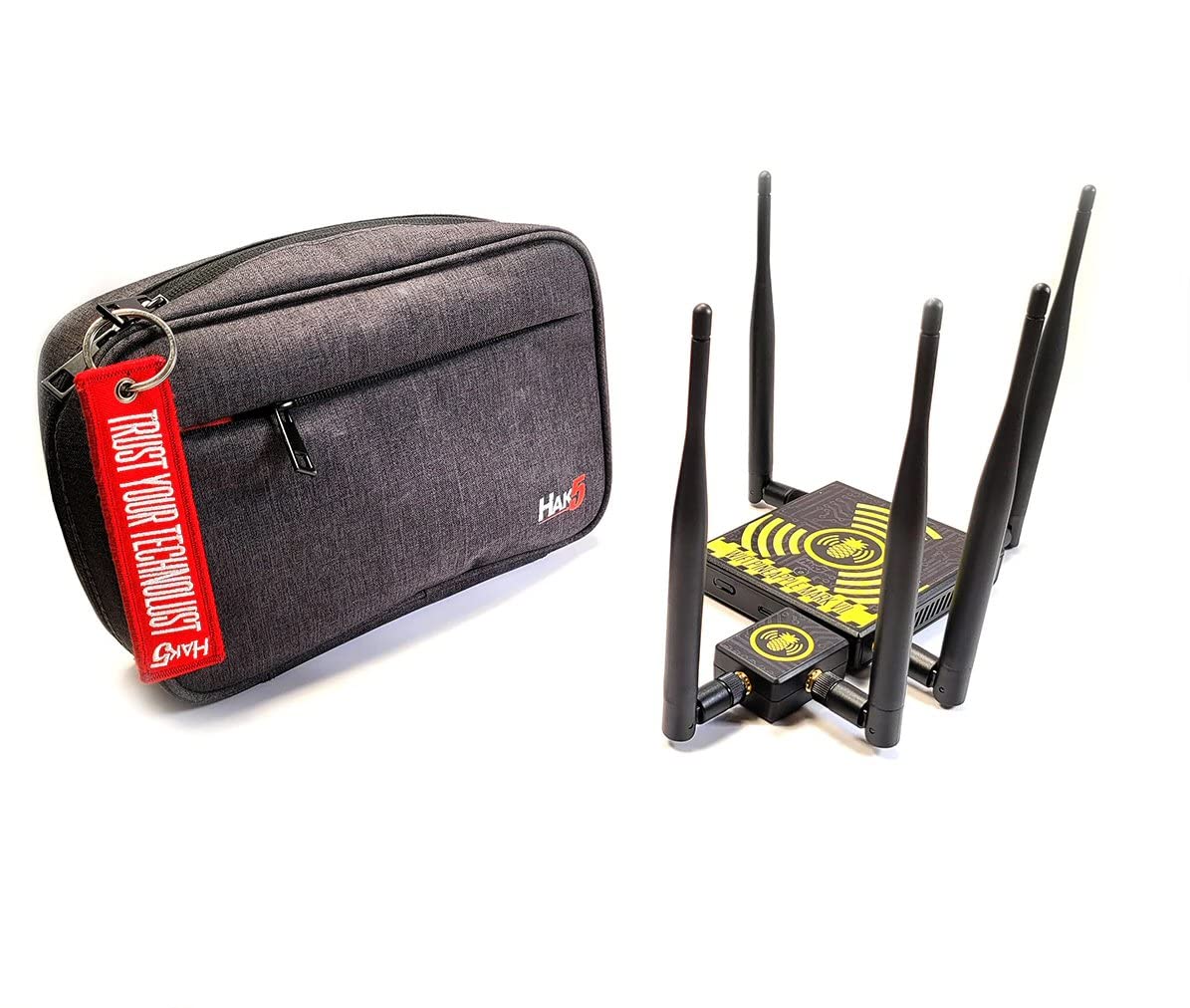
The WiFi Pineapple from Hak5 is practically iconic in wireless penetration
testing. It’s a dedicated device that makes it easy to perform Wi-Fi reconnaissance,
rogue access point attacks, and man-in-the-middle (MitM) simulations during authorized tests.
Official page:
Hak5 WiFi Pineapple
Instead of manually configuring a laptop for complex Wi-Fi attacks, the Pineapple offers a
web-based interface, modules, logging, and automation. This is why so many red-teamers throw it
into their backpack by default.
Scenario: A company wants to know how dangerous their open office Wi-Fi really is. During an
authorized assessment, a tester places a WiFi Pineapple in the lobby, mimicking the legitimate
network name. Within minutes, employees’ devices start auto-connecting, revealing just how easy
it is to capture traffic and see what’s sent in clear text.
Security Value
- Demonstrates risks of weak Wi-Fi configurations
- Helps test guest networks and rogue AP detection
- Shows why certificate-based Wi-Fi and VPNs matter
2. USB Rubber Ducky , The Keystroke Injection Classic
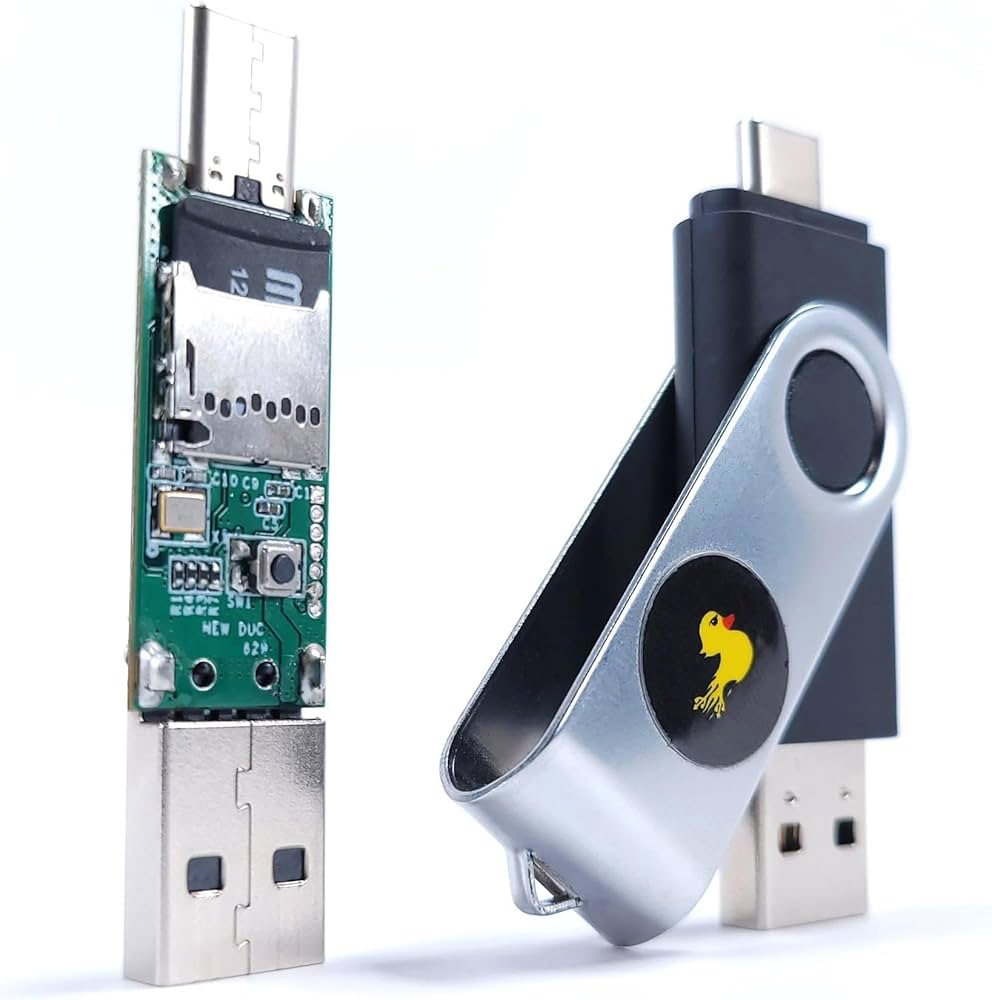
The USB Rubber Ducky looks like an ordinary flash drive, but a computer sees it
as a keyboard. When plugged in, it “types” pre-programmed keystrokes at lightning speed, making
it a favorite for demonstrating how dangerous an unprotected USB port can be. More info:
USB Rubber Ducky
Scenario: During a physical security assessment, a tester finds an unlocked workstation in a
meeting room. With prior approval, they insert a Rubber Ducky. In a few seconds, it opens a
terminal, runs a short script to gather system info, and saves a report. When management reads
how fast this happened, they finally enforce automatic screen locks.
Security Value
- Visual, memorable demo of why unattended devices are risky
- Shows why endpoint controls must treat USB as untrusted
- Encourages policies around USB port control and awareness
3. Bash Bunny , Portable Multi-Attack USB Platform
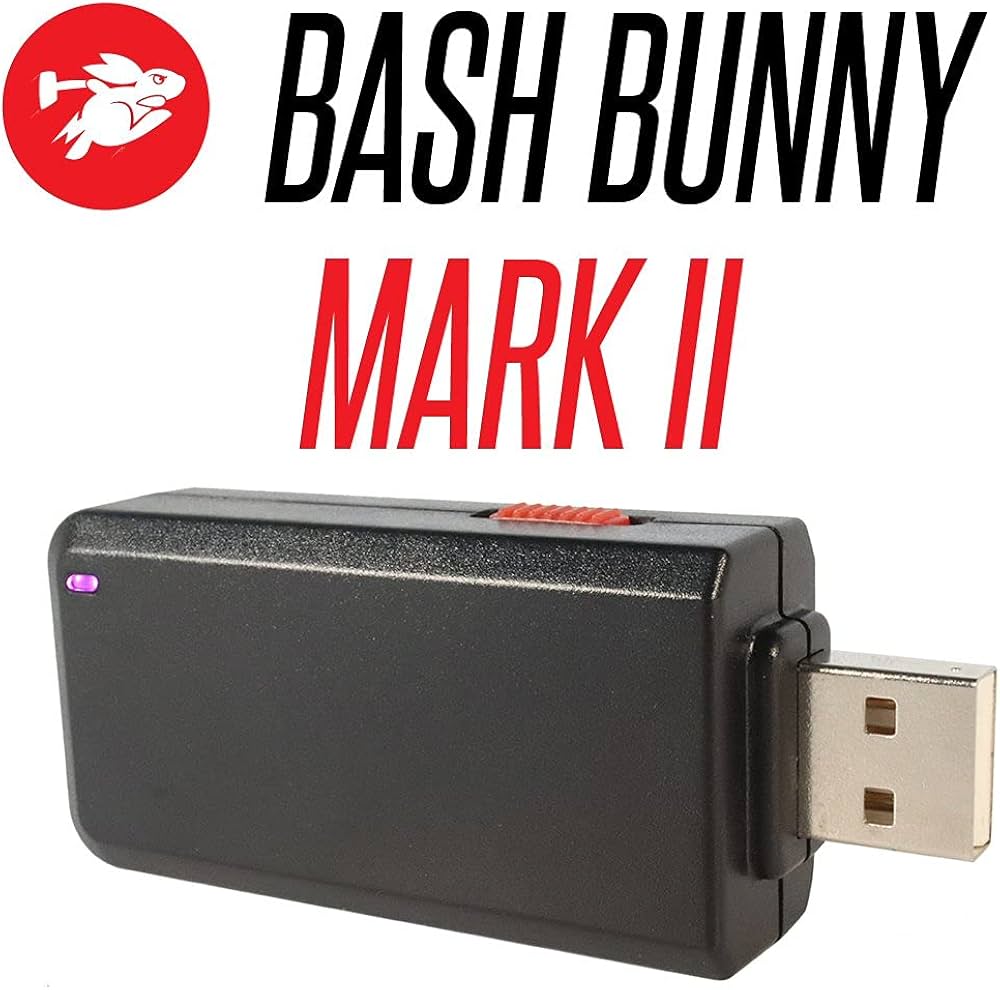
Where the Rubber Ducky focuses on keystrokes, the Bash Bunny is a small
Linux-based box disguised as a USB thumb drive. It can present itself as multiple devices at
once: storage, keyboard, network adapter, and more. That makes it perfect for complex,
chained-attack simulations.
Scenario: A red-team consultant is tasked with showing how a single compromised workstation
could expose an entire office. Using a Bash Bunny on an authorized test, they plug into one
unlocked machine and automatically run a series of scripted checks, demonstrating lateral
movement potential and weak segmentation – all logged for later review with the client.
Because it runs scripts in a repeatable way, the Bash Bunny is ideal for structured tests,
not random experiments.
4. LAN Turtle – Stealth Network Implant

The LAN Turtle is a compact device that looks like a simple USB-to-Ethernet
dongle, but hides full remote-access capabilities. Pen testers use it to simulate an attacker
who has managed to plug a small implant into the corporate LAN.
Scenario: Security leadership wants to know how quickly they’d notice a rogue device on the
network. A tester, with permission, plugs a LAN Turtle into an unused wall port in a conference
room. Over the next few days, they observe network traffic and see whether monitoring tools
flag the unexpected asset.
Security Value
- Teaches teams to detect and respond to unknown devices
- Highlights gaps in network access control (NAC)
- Shows why physical port security and inventories matter
5. Flipper Zero – The Handheld RF & Access Control Multi-Tool
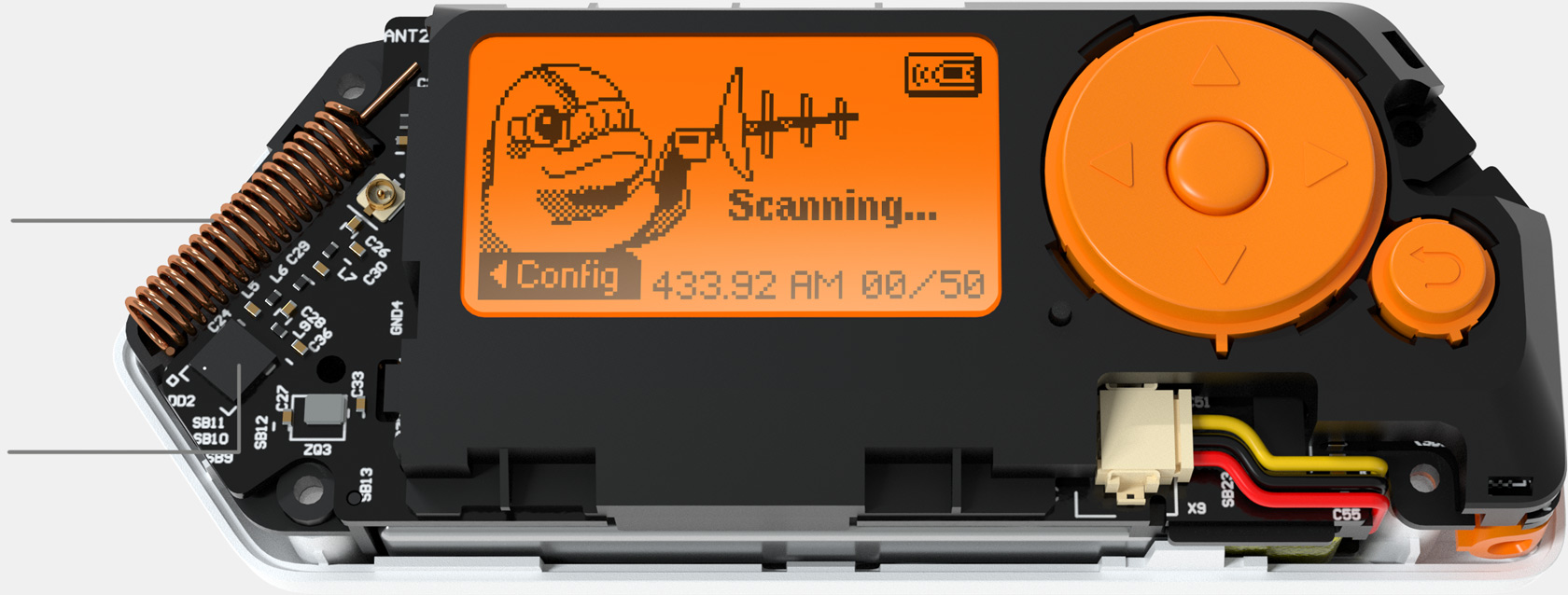
Flipper Zero is a pocket-sized device that can interact with RFID, NFC,
infrared, sub-GHz radio, and more. It’s often described as a “Swiss Army Knife” for hardware
and IoT researchers.
Official site:
Flipper Zero.
Scenario: During an IoT security review, a consultant uses a Flipper Zero to interact with
smart locks, gate remotes, and building access badges under authorization. The goal isn’t to
break the system publicly, but to show the client which devices respond to cloning attempts and
why stronger authentication or encryption is needed.
Used responsibly, Flipper Zero helps organizations understand how exposed their “smart”
infrastructure really is.
6. Proxmark3 – Professional RFID & NFC Analysis Tool
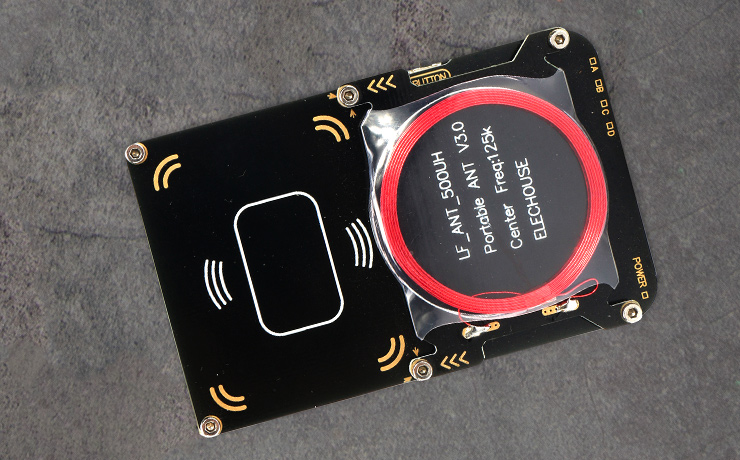
The Proxmark3 is a more specialized, research-grade device used to read,
analyze, and emulate a wide range of RFID and NFC tags. It’s a staple in labs that test access
control systems, badges, transit cards, and more.
Documentation:
Proxmark3 Project.
Scenario: A company uses proximity cards to protect sensitive rooms. A security consultant,
with explicit permission, uses a Proxmark3 to study sample badges and show which card types are
easily cloned. The final report helps the client justify upgrading to a more secure access
system.
Security Value
- Provides deep insight into RFID/NFC protocols
- Helps quantify the risk of badge cloning
- Supports decisions for migrating to stronger tech
7. HackRF One , Software-Defined Radio for Wireless Research
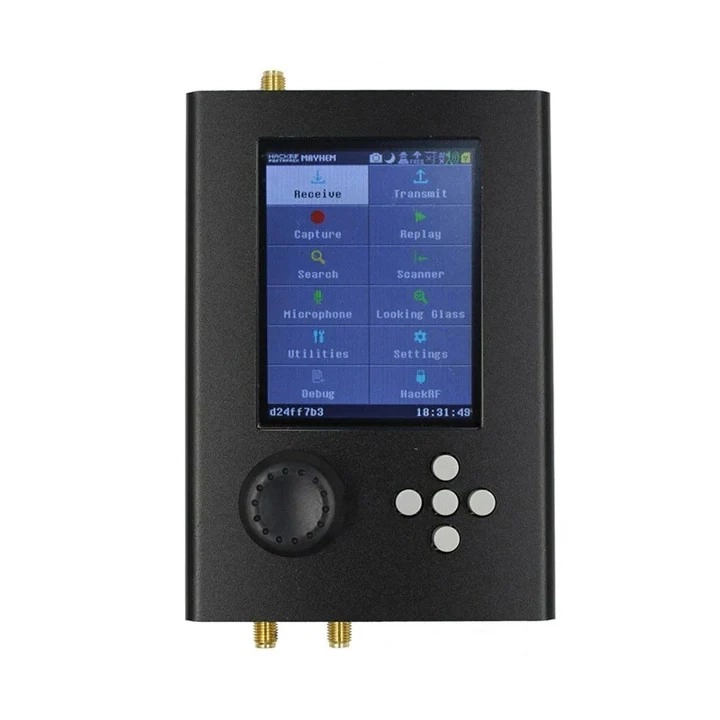
HackRF One is an open-source software-defined radio (SDR) that can transmit and
receive signals over a broad frequency range. It’s widely used by experienced researchers to
analyze wireless protocols, test device resilience, and understand how radio-based systems
behave.
More info:
HackRF One.
Scenario: A security team is concerned about the wireless gate openers used at their
facilities. A consultant uses HackRF, inside a controlled test environment, to record and
replay signals with approval. The findings drive a move away from insecure rolling-code
implementations.
Because SDR work is highly technical and tightly regulated in many countries, it’s typically
handled by specialists with a clear testing scope and legal authorization.
8. Ubertooth One – Bluetooth & BLE Analyzer
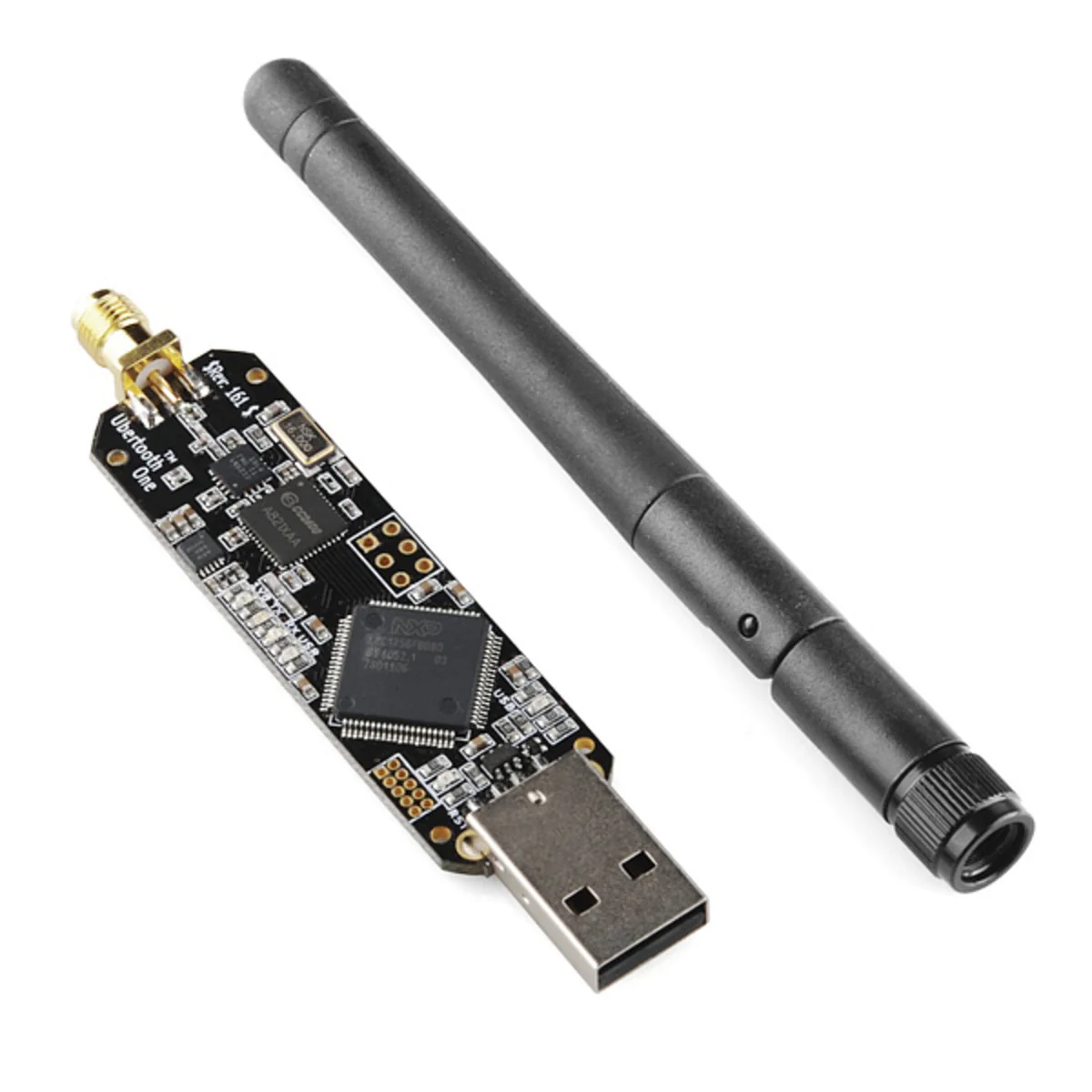
Ubertooth One is a device for monitoring and researching Bluetooth traffic,
especially Bluetooth Low Energy (BLE). It helps security testers see how wearables, beacons, and
wireless peripherals communicate.
Scenario: An organization rolls out BLE-based door sensors and asset trackers. A security
assessment uses Ubertooth One to inspect broadcasts and pairing behavior, checking for weak
implementations that could expose sensitive data or allow spoofing.
As more businesses rely on Bluetooth for critical applications, having a tool to observe those
signals becomes increasingly important.
9. Long-Range Wi-Fi Adapter & Directional Antenna
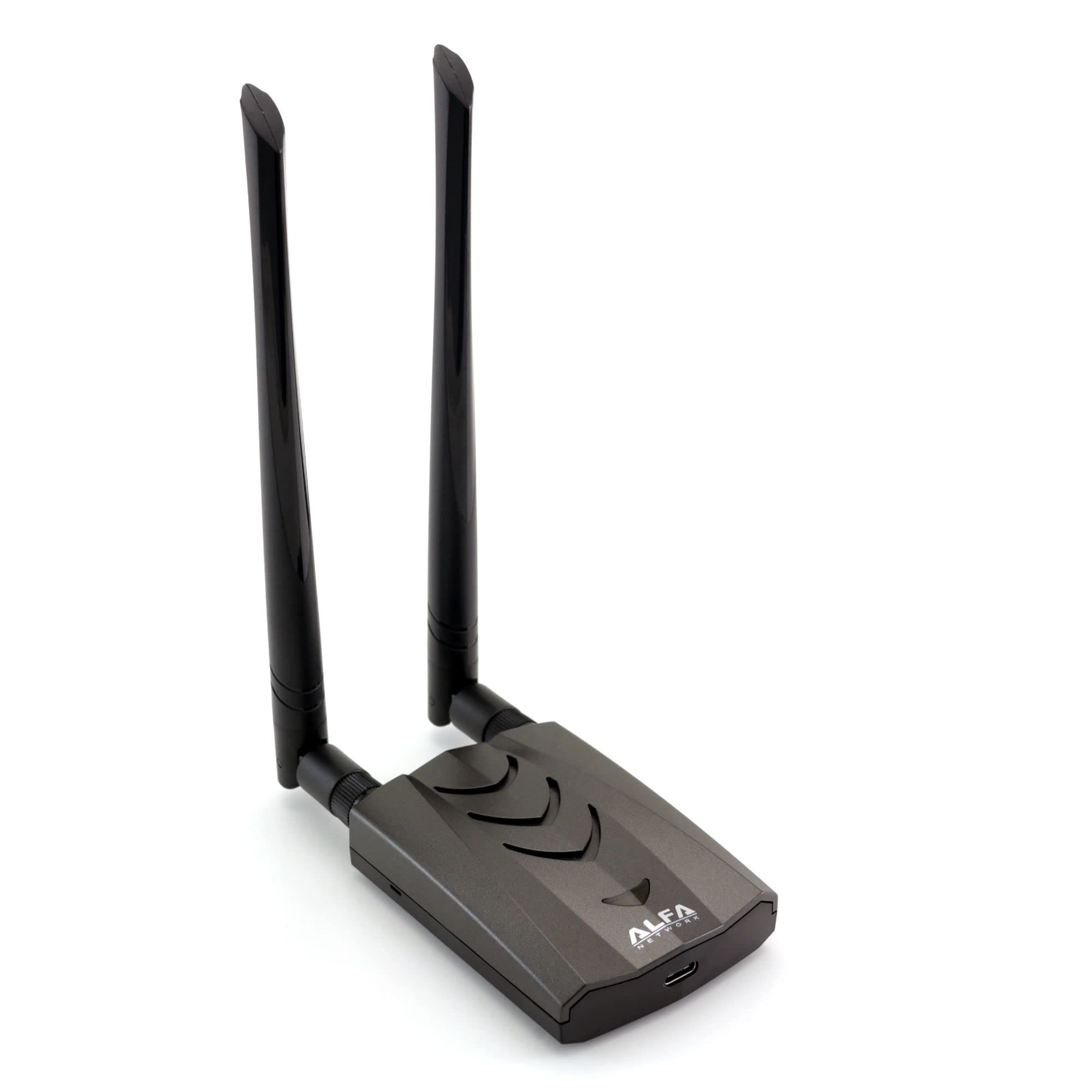
While it looks simple compared to other gadgets, a high-gain Wi-Fi adapter
paired with a directional antenna is essential for wireless reconnaissance. It enables
professionals to capture packets, discover networks, and test signal coverage from a distance.
Scenario: To evaluate how far the corporate Wi-Fi leaks outside the building, a tester sits in
the parking area with a long-range adapter and directional antenna. They map where the network
can be seen, showing the client that unauthorized users in nearby offices or cars could attempt
to connect.
These adapters are often used with Linux distributions like Kali for advanced Wi-Fi auditing.
10. Raspberry Pi – Pocket-Sized Hacking Lab
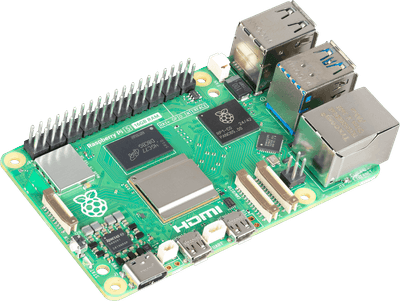
The Raspberry Pi is a small, affordable computer that becomes a powerful
hacking platform once loaded with a security-focused OS like Kali Linux or Parrot OS.
Official site:
Raspberry Pi.
Scenario: A penetration tester prepares a Raspberry Pi as a “drop box” and, with authorization,
connects it inside the client’s office network. From a remote location, they access the Pi over
an encrypted tunnel to run scans, collect logs, and observe segmentation – all without needing a
full laptop left on-site.
The flexibility, low power usage, and small size make Raspberry Pi devices a favorite in
red-team toolkits.
11. Hardware Keyloggers (USB & Inline)

Hardware keyloggers sit between a keyboard and a computer, silently recording
keystrokes. In security work, they are used to demonstrate what can happen if an attacker gains
brief physical access to a workstation.
Scenario: During an internal awareness campaign, the security team plants demo keyloggers on a
few non-critical test machines with signage explaining the risk. When staff see how much can be
captured in a single day, they take physical security and clean desk policies more seriously.
Because of the sensitivity of captured data, professionals handle these gadgets under strict
controls, with clear scoping and data-handling procedures.
12. BadUSB Cables – Payloads Hidden in “Normal” Cables
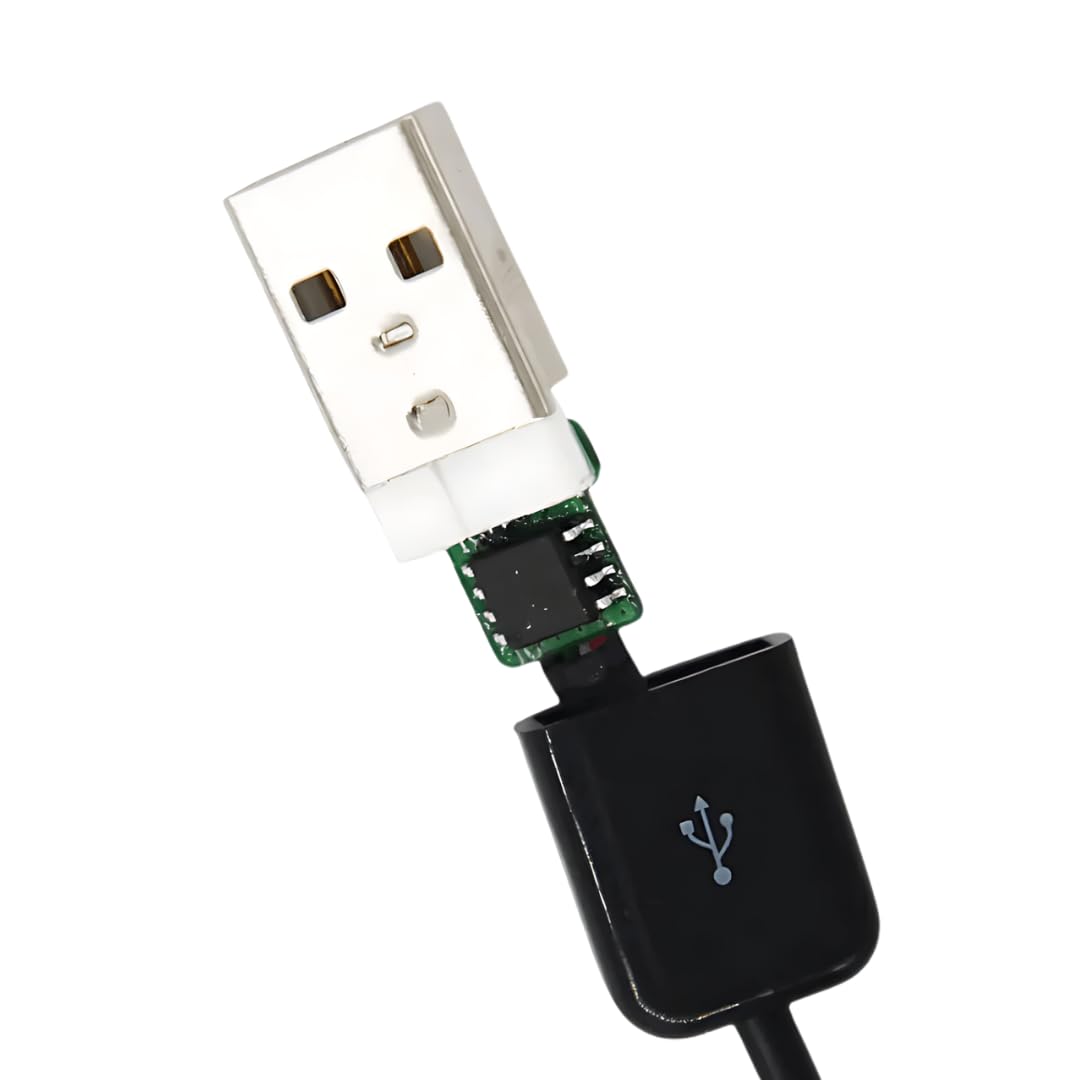
Some cables hide microcontrollers capable of acting as keyboards or network devices when
plugged in. To a user, they look like ordinary charging or USB cables – which is exactly the
point.
Scenario: A red-team engagement focuses on social engineering. A seemingly harmless cable is
left in a shared meeting room as part of the test. When a volunteer plugs it into a laptop for
charging, the team documents how quickly it could have executed an automated payload – and uses
the story in follow-up training sessions.
These devices are a strong reminder that “trusting the cable” is no longer safe in high-risk
environments.
13. Lock Pick Set – Testing the Physical Layer
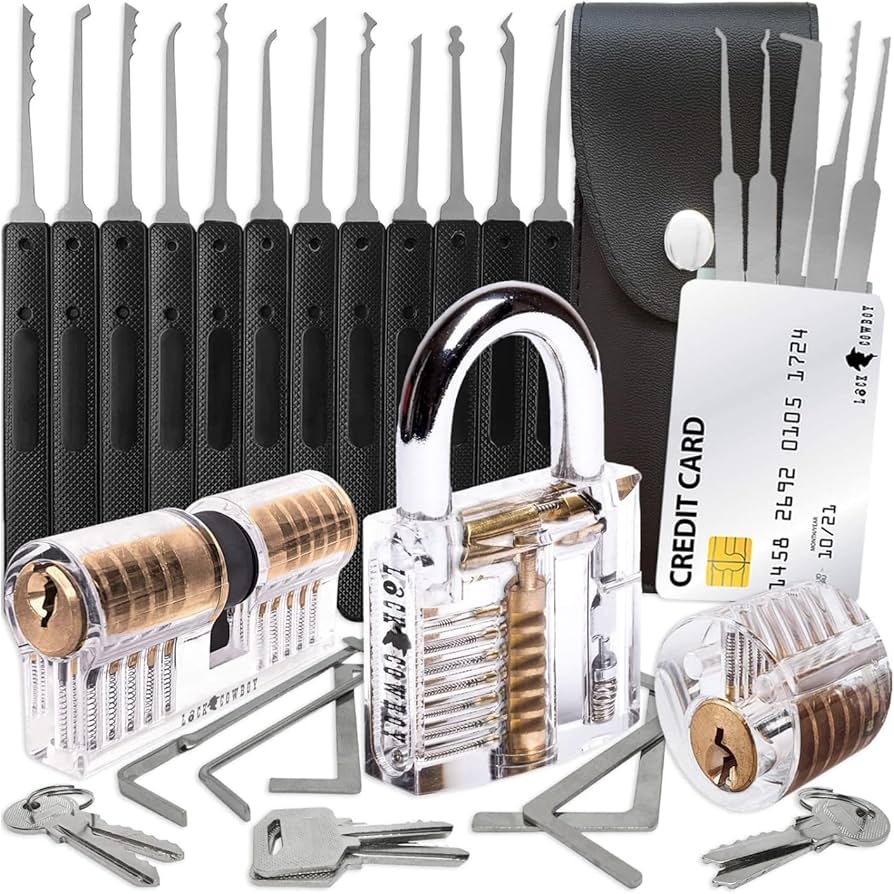
Not every breach starts with code. A lock pick set is a classic tool for
physical security professionals who test how easily doors, cabinets, and racks can be opened.
Scenario: A security consultant, with all necessary legal agreements, is asked to test how well
the server room is protected. They discover the mechanical lock is low-grade and can be opened
in under 30 seconds. The client uses this evidence to justify upgrading to electronic access
controls and monitored entry.
When you combine weak physical controls with weak digital controls, the attack surface
multiplies quickly.
14. Multi-Tool & Tamper Kit
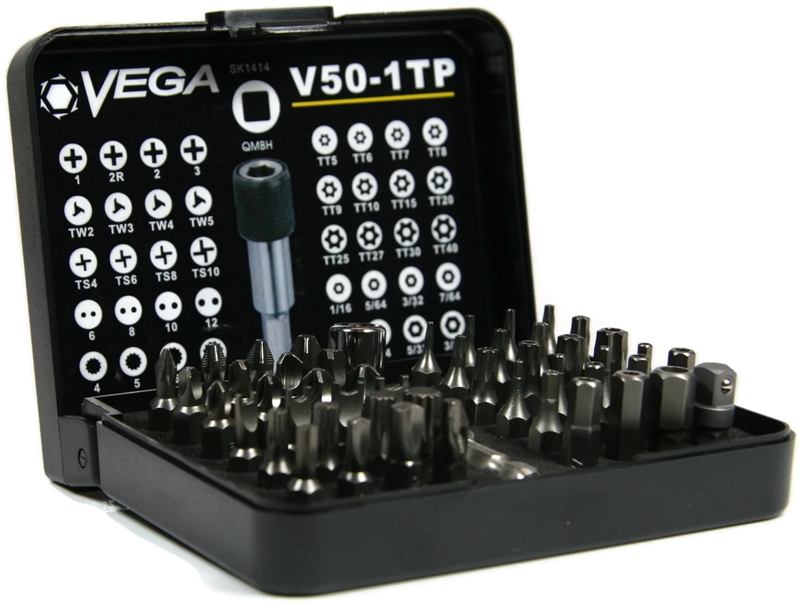
A solid multi-tool (screwdrivers, pliers, cutters) plus basic tamper tools
(tri-wing drivers, spudgers, pry tools) allow professionals to open enclosures, inspect hardware
for added implants, and access internal ports like UART or JTAG.
Scenario: During a hardware security assessment, a tester opens a third-party device used in a
sensitive environment. Inside, they find unprotected debug headers that expose a direct serial
console. The finding leads to stricter procurement checks for future hardware suppliers.
Sometimes the most valuable “gadget” is simply the ability to open things safely and put them
back together without leaving a trace.
15. Thermal Camera – Visualizing Heat, Keys, and Equipment
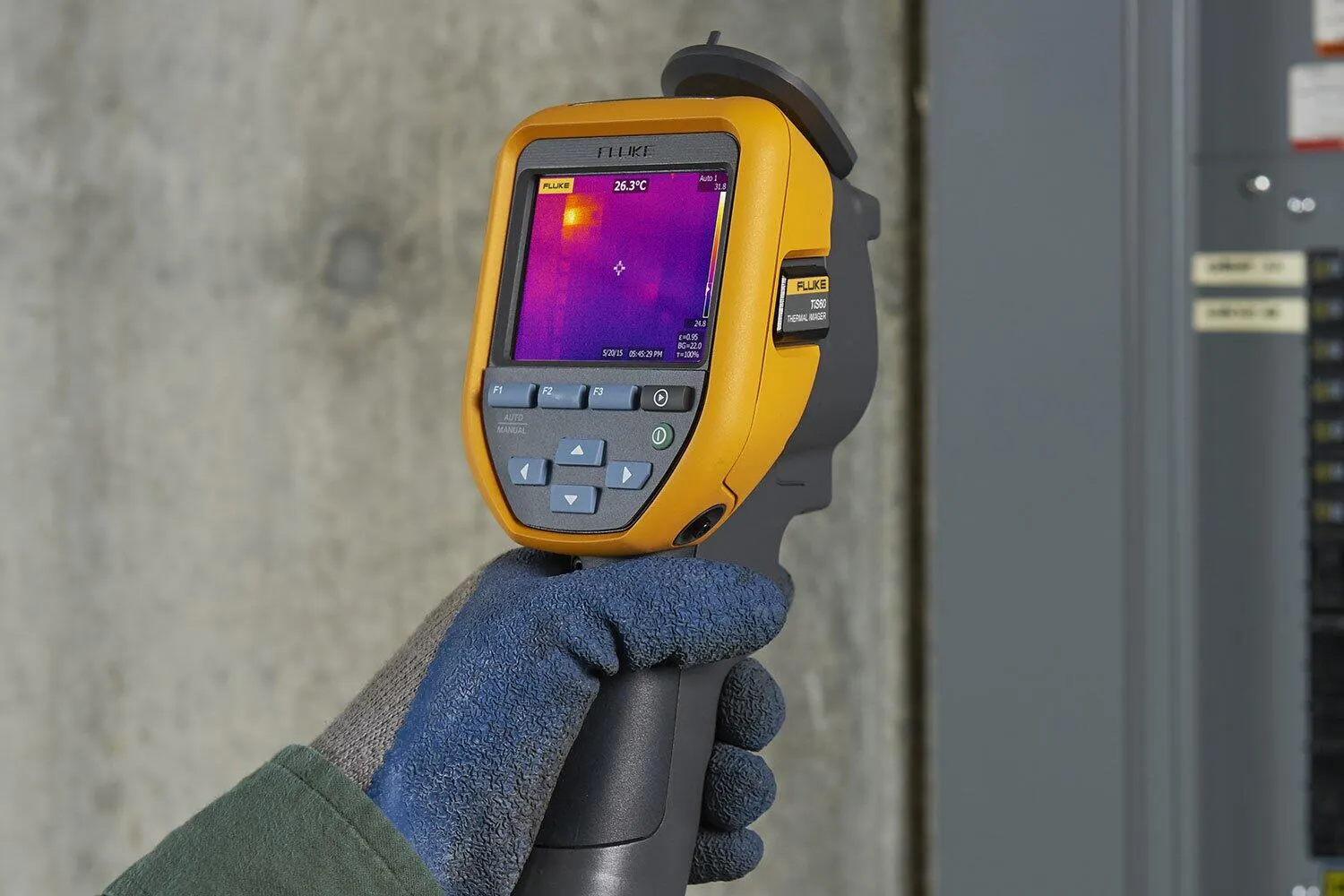
A compact thermal camera (often attached to a smartphone) lets security teams
see heat patterns invisible to the naked eye. That can reveal information about equipment,
wiring, and even recently typed PIN codes.
Scenario: To demonstrate side-channel risks, a consultant asks a volunteer to enter a PIN on a
keypad. Seconds later, they capture a thermal image that clearly shows which keys were pressed
and in what order. The lesson is simple: shoulder surfing today can be both visual and thermal.
Thermal imaging also helps identify overheated network gear, poorly ventilated racks, and
devices drawing suspicious levels of power.
16. RFID Cloners & Card Emulators

While tools like Proxmark3 handle deep RF research, simpler RFID cloners and
card emulators are used for quick demos of badge cloning risks. Many low-frequency access cards
can be copied surprisingly easily if an attacker gets close enough to a target’s badge.
Scenario: In a building security workshop, the facilitator briefly “bumps” a volunteer’s badge
with a handheld RFID device (with consent). Minutes later, they demonstrate how a cloned card
could unlock an internal door. That moment tends to change how people wear or guard their
badges.
These gadgets underline why organizations should avoid outdated card technologies and adopt
more secure options.
17. Portable Router or 4G/5G Hotspot
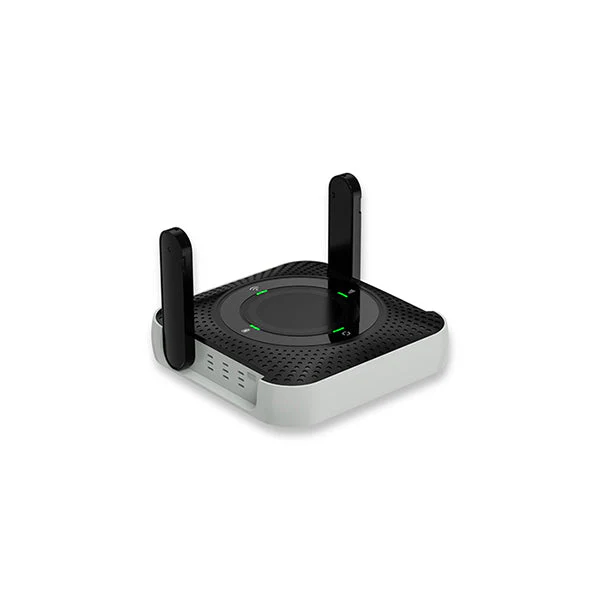
A portable router or dedicated 4G/5G hotspot isn’t a hacking device in itself,
but it plays a key role in assessments. It provides an isolated connection that does not rely on
the client’s infrastructure, which is crucial for safe operations and clear separation.
Scenario: A red-team is working onsite but doesn’t want their own command-and-control traffic
touching the client’s internal internet breakout. They route all their tools through a private
hotspot to keep actions cleanly separated and fully logged on their side.
It’s a quiet hero in many professional setups: boring, but essential.
18. Network Tap – Passive Traffic Capture
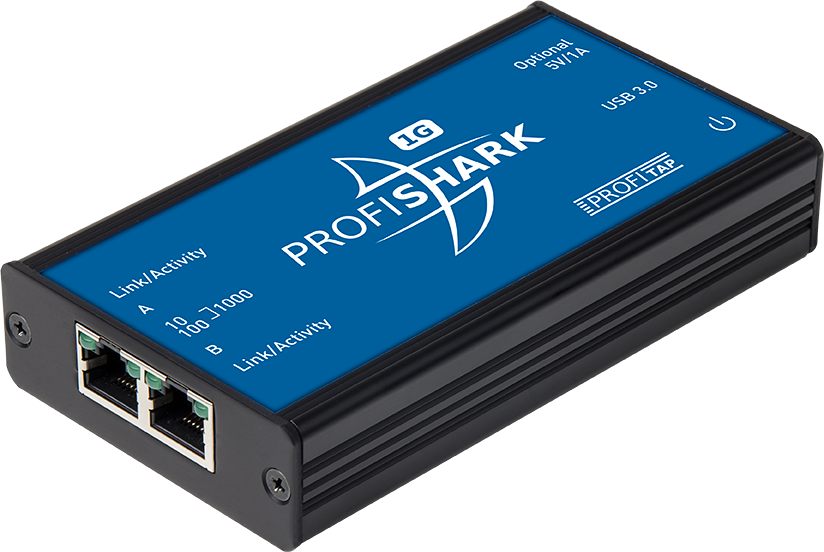
A network tap is a hardware device that sits inline with a network cable and
mirrors traffic to a monitoring port. Unlike port mirroring on a switch, it’s transparent and
doesn’t rely on switch configuration.
Scenario: During an investigation of intermittent security events, a consultant installs a
network tap (with approval) on the uplink of a critical server. The mirrored traffic is fed into
a capture system running Wireshark. Over time, patterns emerge that help identify misconfigured
services and suspicious external connections.
Taps give security teams a “pure” view of the traffic without introducing additional risk to the
live environment.
19. Cable Testers & Tone Probes

Cable testers and tone probes might seem old-school compared
to SDRs and RF gadgets, but they’re invaluable when dealing with complex physical infrastructure.
They help locate where a cable goes, whether it’s wired correctly, and how it fits into the
bigger picture.
Scenario: In an older building with almost no documentation, the security team needs to know
which wall jacks lead to critical network closets. Using a tone generator and probe, they map
cable paths, identify abandoned runs, and flag unmanaged ports that could become easy targets.
Good mapping means fewer surprises when it’s time to lock down the network.
20. Encrypted USB Drives – Protecting the Tester’s Data
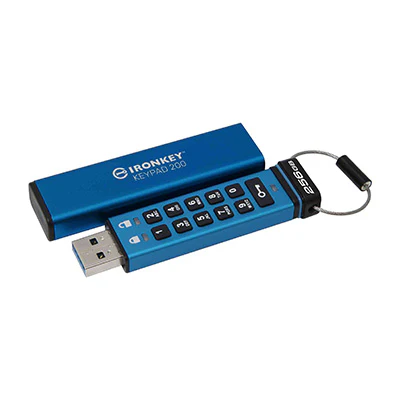
Finally, not all professional gadgets are offensive. Encrypted USB drives are
critical for securely storing:
- Scan results
- Captured traffic
- Screenshots
- Reports and notes
Scenario: After a week-long assessment, a consultant leaves the client site with gigabytes of
sensitive logs and findings. Everything is stored on an encrypted drive. If the drive gets lost
in transit, the data remains unreadable, protecting both the client and the consultancy.
Strong offense is important – but strong protection of evidence and client data is just as
critical.
Comparing Gadget Types at a Glance
Here’s a simple comparison of where each gadget fits into the bigger picture of security
testing.
| Category | Example Gadgets | Primary Focus |
|---|---|---|
| Wireless & RF | WiFi Pineapple, HackRF One, Ubertooth One, Flipper Zero | Wi-Fi, Bluetooth, IoT, radio protocol testing |
| USB / Endpoint | USB Rubber Ducky, Bash Bunny, BadUSB cables, keyloggers | Endpoint hardening, physical access risk, social engineering |
| Access Control | Proxmark3, RFID cloners, Flipper Zero | Badge cloning, NFC/RFID security, door systems |
| Infrastructure | Raspberry Pi, network taps, Wi-Fi adapters, tone probes | Network mapping, traffic capture, segmentation checks |
| Physical | Lock picks, multi-tool, thermal camera | Door locks, enclosures, side-channel observations |
| Data Protection | Encrypted USB drives | Secure handling of sensitive test results |
Putting It All Together in a Professional Workflow
In a real engagement, a professional rarely uses just one gadget in isolation. Instead, they
build a narrative:
- Physical access tested with lock picks and badges
- Wireless exposure measured with Wi-Fi adapters and Pineapple
- Access control resilience checked with RFID tools
- Endpoint awareness evaluated with USB devices
- Traffic visibility improved through taps and Pi drop boxes
“The most effective security assessments don’t start with a tool. They start with a question:
what are we trying to protect – and what are we most afraid of losing?”
Gadgets are just instruments. The real value comes from the methodology, ethics, and clarity of
the people using them.
Need Help Turning These Insights into Real Security?
If this guide made you realize how many layers your organization needs to think about – Wi-Fi,
USB, RFID, physical access, and more – you’re not alone. Many businesses know these gadgets
exist, but don’t have the time or expertise to build a full testing program around them.
That’s where a dedicated security partner can help At
Codeila
Assessments Combine:
- Hardware and network testing
- Web and application security reviews
- Wi-Fi and infrastructure audits
- Clear, non-technical reporting for management
If you’d like to discuss a tailored penetration test or red-team exercise, you can reach out
securely here:
https://codeila.com/contact/
The tools are out there ,, The attackers are out there ,, The question is whether you’ll wait for
them to test your defenses ???? , or bring in professionals to do it first – on your terms !